Roads
Index
- Road Construction
- Mattocks
- Base Course
- Pavers
- Hoggin Mix
- Gravel Fill
- Cobble, Sett, & Flagstones
- Concrete
- Asphalt
- Paving Cart
Introduction
Road construction is vital for increasing land-transport efficiency and consists of three basic steps:
- 1: Tamping the native soil with a Mattock.
- 2: Laying down Crushed Base Course.
- 3: Laying the surface Paving Material.
Different varieties of road use different ingredients.
Mattocks
A mattock can be used on dirt-type blocks similarly to a Chisel. When used in the default block mode, a mattock will tamp these blocks down with Right Click. If the mattock was used to tamp mud or muddy roots, the resulting tamped mud must be remediated by applying crushed base course.
Base Course
After the local soil has been tamped down, the next step is to lay a base course for the road. Crushed base course can be crafted with either gravel or stone dust mixed with loose rocks, and can be applied to tamped blocks via Right Click. This base course of crushed rocks creates a sturdy base for the final walking surface to rest upon.
Pavers
The final step in creating a road is laying the road surface. Different items, including Bricks, Hoggin, and Loose Rocks can be applied via Right Click on top of a base course to form a walkable road. Different items result in different varieties of road, and different varieties of road allow for various boosts to walking speeds.
Process of tamping, applying base course, and paving with bricks.
Hoggin Mix
Hoggin is a compactible groundcover made from a mixture of clay, gravel, and sand. It can be applied on a base course to produce a simple path that offers a modest 10% Boost to walking speed and allows Animal Cranks to run at 16RPM.
Road construction via hoggin mix.
Gravel & Macadam
A small amount of Gravel Fill can be applied to a base course to produce a simple path that offers a modest 10% Boost to walking speed. Additional gravel fill can be added and tamped to create a Macadam Road that gives a 20% Speed Boost.
All paving materials above hoggin will allow Animal Cranks to run at 32RPM.
Road construction via gravel fill.
Stone Pavers
Stone Pavers
Stone Pavers
A variety of different stone walking surfaces can be applied over a base course, and all provide a 20% Speed Bonus.
- Cobbled Roads are created by adding Loose Rocks over the base course.
- Sett Roads can be constructed from stone or ceramic Bricks.
- Flagstone Roads can be constructed from stone or sandstone Flagstones.
Road construction via various stone finishes.
Concrete
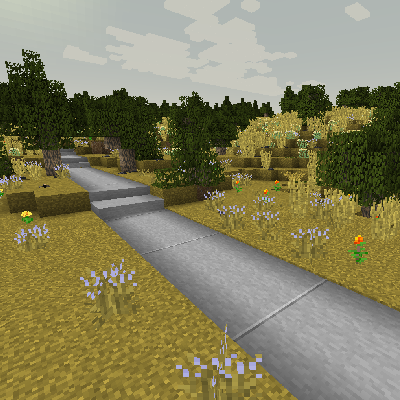
Concrete roads offer a 30% Movement Speed Bonus when properly constructed. However, road builders must be diligent when constructing concrete roads to prevent them from cracking or being trodden on while wet, as this will remove the speed bonus.
Concrete Road
Mixing Concrete
Concrete Roads are poured from Wet Concrete Mix. First, Combine water with stone dusts and a binder such as gypsum or clay to produce Liquid Concrete. Then, dilute the liquid concrete with water to produce Wet Concrete Mix. Ready for pouring.
生コンクリートが完成したら、バケツで掬って路盤の上に流し込むと、周囲のブロックにも広がっていきます。 コンクリートは1日で固まりますが、それまでは動物やプレイヤーが上を歩いてしまわないよう注意が必要です。固まる前に踏まれると、足跡が残り表面がデコボコになってしまうため、速度ボーナスが得られなくなります。 できてしまった足跡は、固まる前であればマトックで平らに整えることができます。
Pouring Concrete
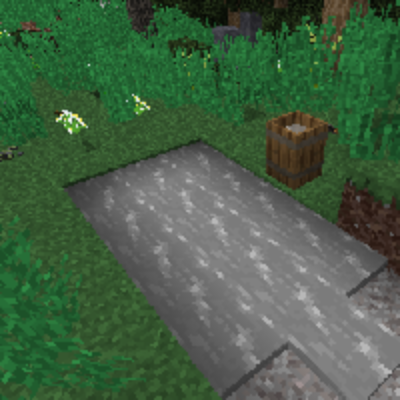
Shrinkage cracking is also a concern as concrete sets. If concrete is poured in areas more than 4x4 blocks wide, blocks that are farther than two blocks from the nearest Edge, Control Joint, or Textured Finish will crack when set. This can be prevented by pouring concrete in smaller areas, using a Mattock to add Control Joints, or by applying a Textured Finish.
目地
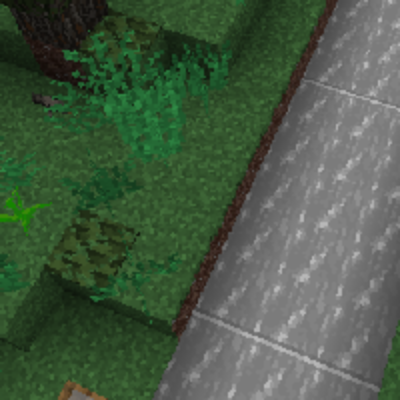
Textured Finishes are created by pressing Bricks, Flagstones, or Smooth Stone Blocks into drying concrete to create an architectural finish. These blocks also act as Control Joints for preventing cracking. Once concrete has finished drying, a Chisel can be used to form slabs and stairs.
舗石風の道
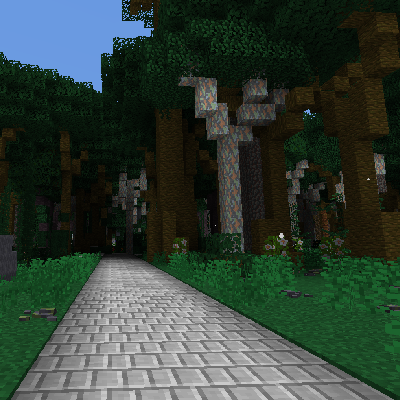
Road construction via concrete pouring.
Asphalt
Asphalt roads are an advanced road type relying on oil and TFG production lines.
After preparing the base course, you can pour Asphalt Mixture over it. It will briefly become Hot Asphalt before solidifying into a durable Asphalt Road.
A properly built asphalt road gives a 40% Movement Speed Bonus.
Asphalt Road
コンクリートの道の施工とは異なり、アスファルト道路の舗設には収縮目地を必要とせず、ひび割れたり、硬化前に上を歩くことで足跡が付いたりなどもしません。
ただし、熱いアスファルトを扱う際は注意してください――触れると火傷しますよ。安全のために耐火装備の着用を推奨します。なお、アスファルト道路を破壊すると、ブロックとしてではなくアスファルトの瓦礫 としてドロップします。
Tar Chunk
アスファルトの原材料は石油です。原油、原料油、重油 などを液体成型機で固化してタールブロックを作り、その後 抽出機でタールの塊に加工しましょう。
Asphalt Mixture
ミキサーでタールの塊と石の粉を混ぜることで、アスファルト結合材を作成できます。なお、ギルソナイトの粉を加えると、結合材の生産量が増加します。
その後、結合材を砂、石の粉、そして砕石路盤材と混ぜ合わせることで、液体状のアスファルト混合物を作成できます。
ドラムやタンクに保管しておくと、運搬や舗設などの管理がしやすいです。
アスファルトの舗設
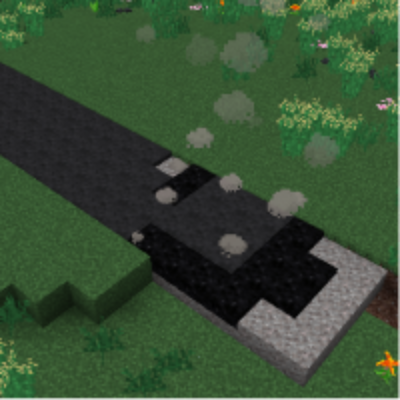
Right Click a placed Base Course Block with a bucket of Asphalt Mixture to pour it. The mixture spreads to adjacent base course blocks, converting up to 20 adjacent base course blocks into Hot Asphalt. After a short time, hot asphalt cools into Asphalt Road. Shift-Right Click on a Base Course Block with the mixture to patch a small area, consuming less fluid.
熱いアスファルト
Hot Asphalt is very hot; touching it will cause ongoing burn damage. Wear heat-protective gear when working with it.
Once it cools into an Asphalt Road, the surface is no longer hot.
アスファルト道路の階段
アスファルト道路のハーフブロック
アスファルト道路は、マトックまたは石切台を使用して、アスファルト道路のハーフブロックおよびアスファルト道路の階段にすることができます。
路面標示ステンシル
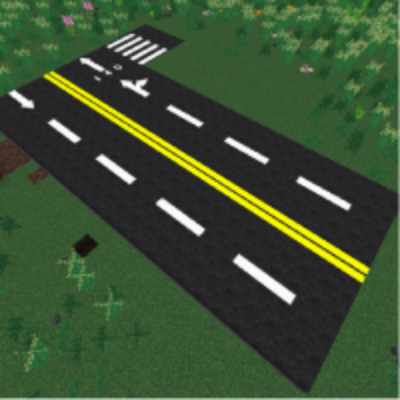
The most distinctive customization feature of asphalt roads is road marking: Spray colors and patterns on the finished surface to plan lanes, intersections, and warning lines.
Various stencils can be crafted at an Artisan Table.
白色のスプレー缶
黄色のスプレー缶
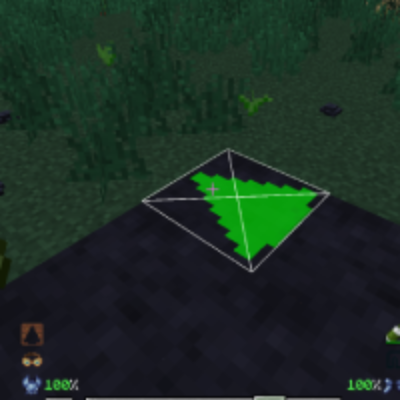
Hold a Spray Can in one hand and optionally a Road Marking Stencil in the other, then Right Click on an asphalt road to paint it. The color is determined by the spray can, and the orientation by the player's direction.
Spraying again on an existing marking will replace it and consume spray can durability, unless the same exact layout is used.
路面標示の消去
路面標示を消したい場合は、アスファルト道路に溶媒のスプレー缶を使用すると、その場所の標示を消去できます。
破壊と再生
アスファルト道路、その階段とハーフブロック、もしくは熱いアスファルトを破壊すると、アスファルトの瓦礫としてドロップします。瓦礫を抽出機で処理すると、少量のアスファルト混合物を回収できます。
Paving Cart
The Paving Cart is a specialized cart used for laying down road surfaces quickly and efficiently. It can be filled with Road Materials and Crushed Base Course and then attached to a Horse with 人力車を持つ/おろす to create roads as you travel. The cart can also fill in any existing base course blocks.
Paving Cart
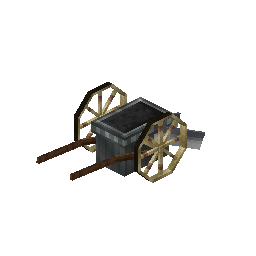
The blades of the paving cart will lower with Right Click indicating that the cart will plow roads when moved.
幅調整スライダー
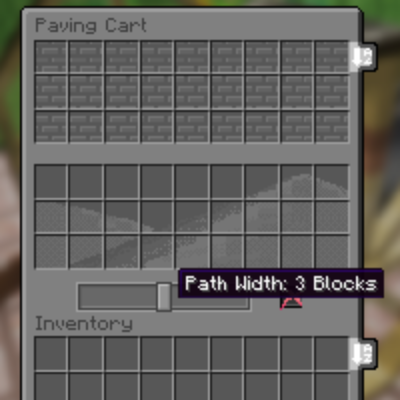
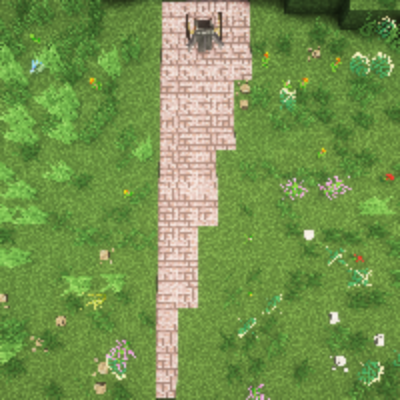
The cart allows you to adjust the width of the path in the GUI, opened with Shift-Right Click.
道幅の変化
ランダムモード
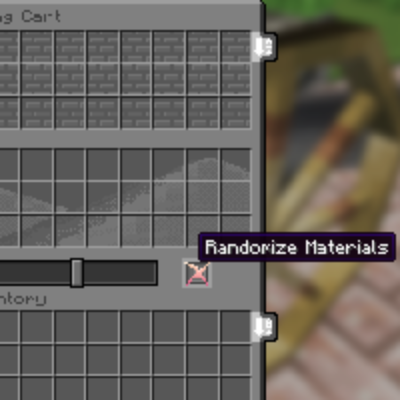
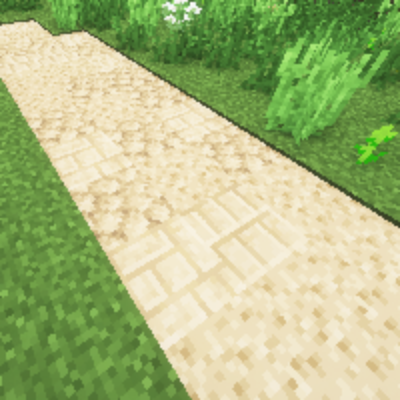
The cart has a mode that will lay down paving materials in a random pattern.
ランダムモードで舗装された道
Comments