 Boats
Boats
Index
- Sailing Information
- Customization
- Boats as Items
- Transporting Animals
- Paddles as Oars
- Cleats & Leads
- Anchors & Windlasses
- Sails
- Sailing
- Painting & Dyeing
- Damage & Repair
Introduction
Creating and using a boat may be slightly more involved than you're used to, but there's nothing quite like building the perfect craft and setting off on the high seas. Peruse this manual and learn the ins and outs of carving, crafting, constructing, rowing, paddling, piloting, and customizing to your delight.
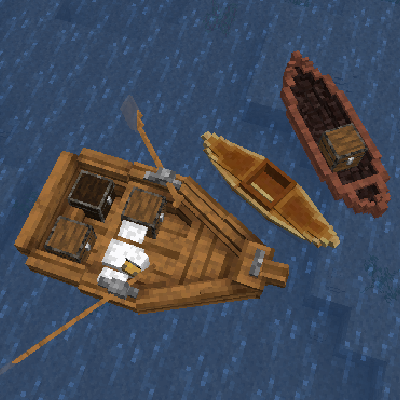
Travelling the world, or just your locality, is often best done by navigable waterways.
Customization
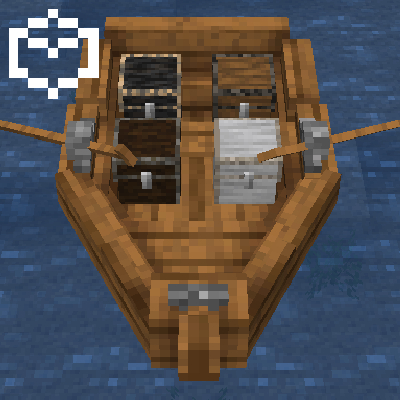
You can add blocks to boats! As if you're placing a block on land, press 오른쪽 버튼 while holding a chest, an anvil, or a workbench, to add it to the boat. Press 오른쪽 버튼 to access them. If you can't place a block in a particular place, that's probably because it's the pilot seat! You can't pilot the boat if there's a block in the way! You can remove the blocks by breaking them, like normal.
Boats as Items
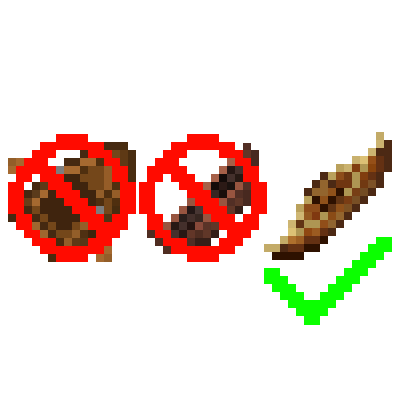
They don't exist! Except the kayak, if you break a boat, it will only drop some of its ingredients! This means you'll need a kayak if you want to carry a boat over land, and it also means you might want to build a dock for your larger vessels.
Transporting Animals
Like always, you can move animals around using boats! However, be aware that larger animals, like horses, will only fit in boats that are big enough. If an animal is riding a boat and is in your way, you only have to crouch and press 오른쪽 버튼 to eject it from the boat. Animals will get restless after 2 days in the boat and will leave the boat on their own in 3 days.
Piloting

Each boat has a specific seat that you need to be riding in order to control the boat.
Paddles & Oars
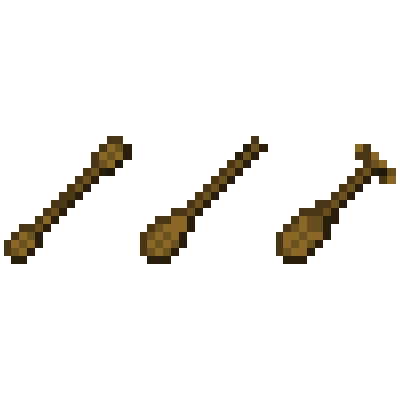
If you feel like your boat is moving slowly, double check that you're holding the appropriate paddle item, or, if your boat requires oars, that the oars have been equipped to the oarlocks. In some boats, multiple players are able to paddle or row to make the boat go faster.
Cleats & Leads
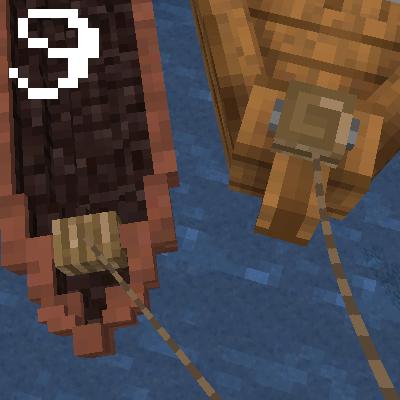
Most boats have at least one cleat on them. You can attach a lead to the cleat and use it to pull the boat, and pull small boats up onto the shoreline and up slabs. Leads can also be used to attach boats to fences, and attaching two cleats each to a fence will allow you to easily dock larger boats. You'll find yourself wanting to use leads extensively to stop your boats from drifting away!
Anchors & Windlasses
Large boats have anchors, which can be used to completely stop the boat, provided the anchor is seated in the seafloor and no sails are deployed. The boat will still turn in the wind while it's at anchor. Look for the anchor icon located at the windlass (anchor winch) and press 오른쪽 버튼 to lower and raise the anchor.
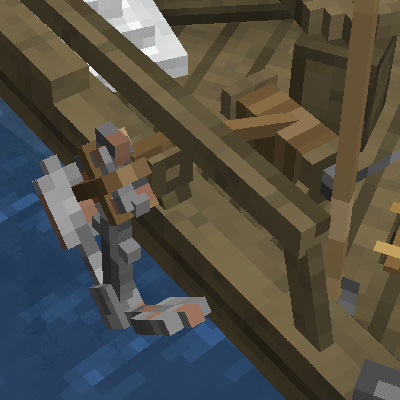
The anchor and windlass on a sloop.
Sails
Sailing vessels, of course, have sails. You'll need to deploy them in order to properly control your boat. Look for the triangular sail icon and press 오른쪽 버튼 to deploy each sail. Since most boats have multiple sails, you can use different combinations of sail deployment to control your speed.
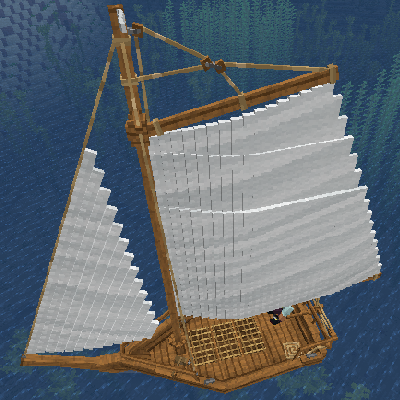
Both the jibsail (left) and mainsail (right) have been deployed on this sloop.
Sailing
Unlike ships that you may be used to, sailing is a skill with Firma: Civilization. When you're piloting a sailing vessel, a new UI element will appear showing the wind speed and direction, as well as the boat's speed. The color of the wind arrow will indicate the difficulty of sailing in that direction. Use your forward and backward movement keys to set the angle of the sails, and experiment to find the best one for the wind angle.

The sailing UI will help you control your vessel.
Painting & Dyeing
Any boat constructed using Shipwright's Scaffolding can be painted, and any sail can be individually dyed. Simply hold a dye item in your hand and press 오른쪽 버튼 when you see the paint brush icon to either paint a hull or dye a sail. Larger boats have unique patterns for each paint color.
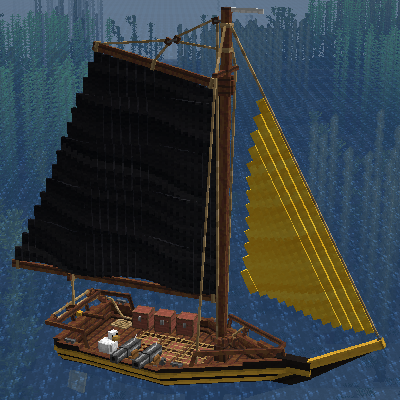
A sloop has been painted yellow and its sails have been dyed.
Damage & Repair
A damaged boat will start to show cracks. For any boat built using Shipwright's Scaffolding, use the appropriate type of plank blocks to repair it. For canoes, use lumber. At 90% damage, a boat will appear to take on water, and at 100% damage, it will sink! This does not apply to Kayaks.
Watercraft
There are a variety of watercraft available to you throughout progression. The type of boat you may pick comes down to your needs and what materials are available to you.
- Kayak: Portable and fast. Best for solo use.
- Dugout Canoe: Cheap, made of softwood, and can carry two.
- Rowboat: Medium sized, capabale of good hauls.
- Sloop: Large sea-fairing vessel. Most advanced watercraft.
Kayak
Your best overland solo-adventure friend. Of course, being the only boat that can be carried as an item helps. It's the fastest boat for a solo player, and very maneuverable!
To row a kayak, hold a Kayak Paddle in your main, or off-hand. To carry the kayak, just break it.
Kayak
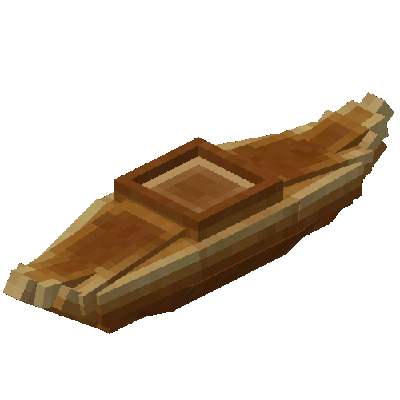
Kayaks are the smallest and most portable boats.
Canoe
The Dugout Canoe will likely be the first step on your aquatic journey! If you're in the copper age, you can build a canoe with the help of a saw.
Canoes require a Canoe Paddle and three Softwood logs. Search "#softwood" in EMI to view all useable logs. As a tip, all coniferous trees are softwood.
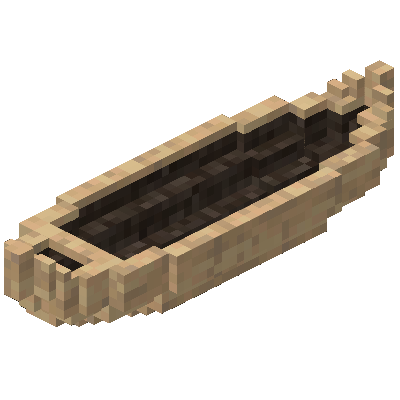
You can put blocks or animals in the pilot seat, but be aware that there's no way to paddle the boat if you do this! It's most useful if you just want to send materials down a river on their own.
A canoe has two seats, and is piloted from the rear. You need to hold a canoe paddle in order to move at full speed, and if two players are holding paddles, you can go even faster.
Just a Log
To build a Dugout Canoe, start by placing three stripped-logs horizontally.
Halved Logs
Then, remove the upper half by holding 오른쪽 버튼 with a saw in hand.
A Carved Log
Next, hollow out the top by holding 오른쪽 버튼 with an axe in hand. Finally, light the canoe on fire with a Firestarter to finish the process.
Rowboat
So, you've reached the Bronze Age and you want an upgrade? Well, the rowboat is for you. It has three seats, so it can hold 3 players, or up to 2 animals, including horses! As always, you can also replace seats (except for the pilot seat) with containers of your choosing. You can also place two additional containers at the stern.
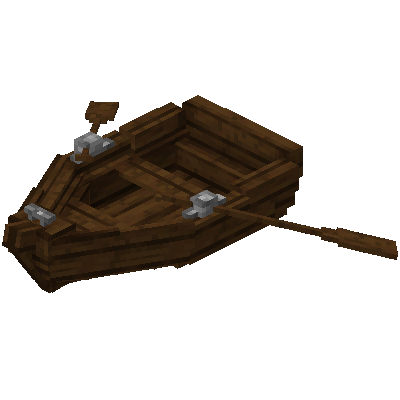
In the rowboat, unlike other boats, you'll be sitting backwards when you're piloting the boat. It gives you a mechanical advantage so you can really put your back into those oars! You can, of course, pilot it in first-person, but if you may find it more intuitive in third-person facing yourself.
Scaffolding
To build a rowboat, you'll need to start with Shipwright's Scaffolding. You'll place them facing inward in a 2 by 3 area.
Scaffolding are then filled in with hardwood planks. Search "#hardwood" in EMI to view all useable log types.
Rowboat Scaffolding
Shipwright's Scaffolding arranged in order to construct a rowboat.
Filled Scaffolding
Four hardwood plank blocks have been added to each scaffold.
Bolted Scaffolding
Using a hammer in your offhand, add four Copper Bolts to each scaffold.
Finished Rowboat
Finally, add the Oarlocks to the center of the boat, and then add Oars to each oarlock.
Sloop
Iron Age already? Well, I guess it's high time you built yourself a proper ship. The sloop is 4 blocks wide and over 8 blocks long, an impressive upgrade from the rowboat! It holds up to 13 containers and up to 7 passengers, and, depending on the wind, can sail extremely fast. It can also carry up to 6 Cannons!
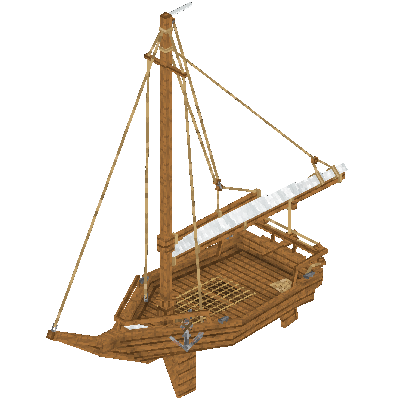
The sloop is expensive, however, requiring a wealth of wrought iron, copper, wool, and other materials. But materials aren't the only cost! You'll have to learn how to sail, as well, and it can take some practice! You'll also likely want to build docks and other infrastructure if you plan on bringing your ship in close to shore.
TIP: It is recommended to build your sloop above water and then drop it into the water when finished. Builidng it in water may result in it sinking!
Scaffolding
Much like a rowboat, you'll start with Shipwright's Scaffolding.
Scaffolding are then filled in with hardwood planks. Search "#hardwood" in EMI to view all useable log types.
Sloop Scaffolding
Shipwright's Scaffolding arranged in order to construct a sloop hull.
Sloop Scaffolding
Four hardwood plank blocks have been added to each scaffold.
Sloop Scaffolding
Using a hammer in your offhand, add four Copper Bolts to each scaffold.
Sloop Scaffolding
Finally, add the Cleats to the hull.
Building the hull is only the first step. Next, look for the blue hammer icon and 오른쪽 버튼 to add the items that show next to your crosshair.
For a full list of materials, you will need:
- 6 Scaffold Slabs
- 18 Scaffold Stairs
- 116 Hardwood Plank Blocks
- 96 Copper Bolts
- 4 Cleats
- 34 Hardwood Stripped Logs
- 1 Medium Sail
- 1 Small Sail
- 16 Lumber
- 1 Anchor
- 8 Rope
Cannons
Cannons
Cannons! Who doesn't want cannons? These powerful weapons of naval warfare can be placed on sloops, as well as on land, and are the best way to destroy your enemy's vessels, dealing far more damage to ships than any alternative.
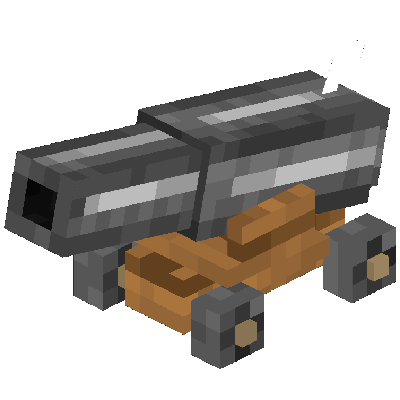
You'll also need cannonballs, smithed from Wrought Iron Double Ingots, as well as Gunpowder, Unrefined Paper and a Flint and Steel in order to fire a cannon. A UI element will indicate the status of the cannon. You can angle a cannon up by pressing 오른쪽 버튼 and down by crouching and pressing 오른쪽 버튼.
Comments